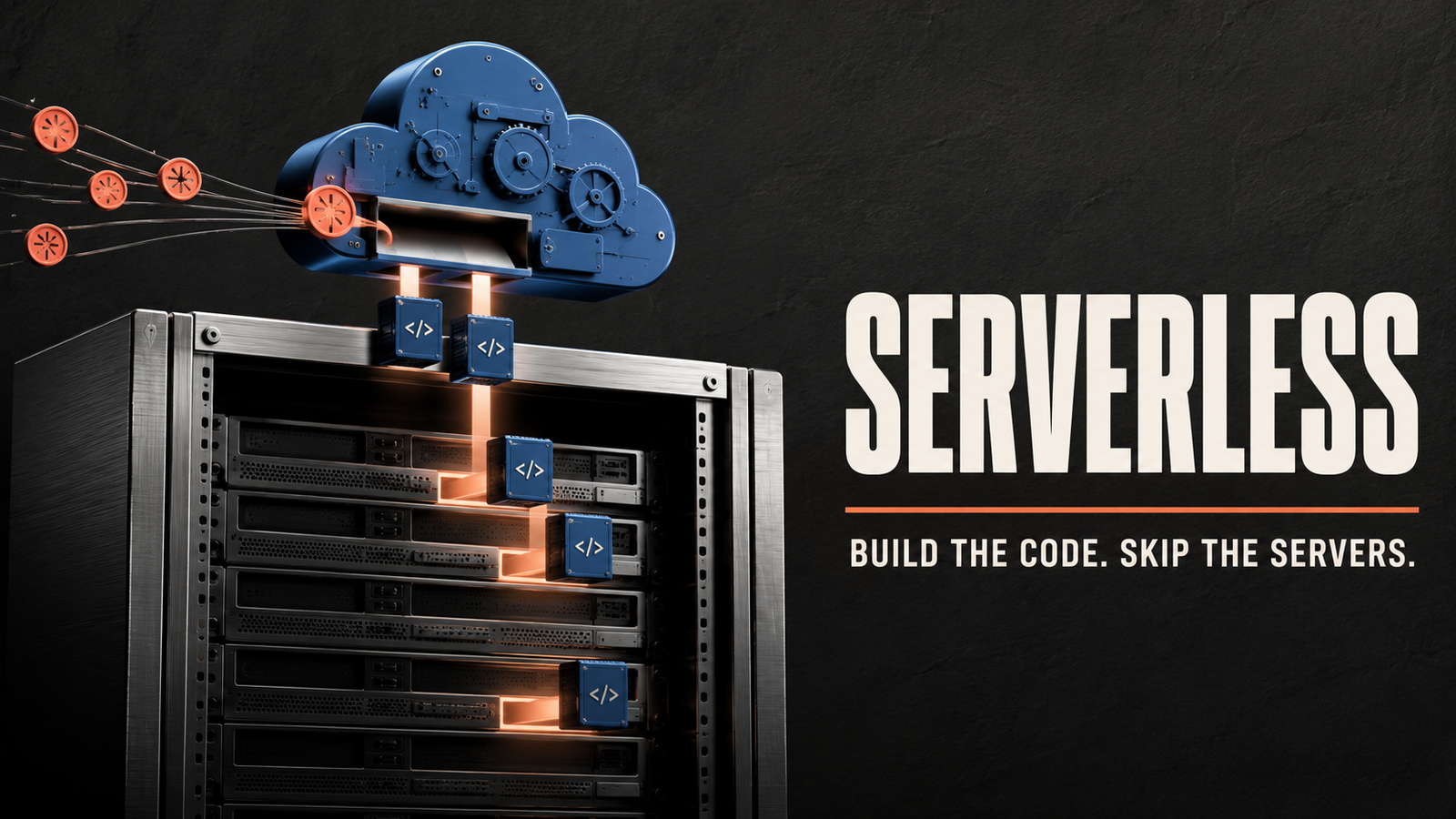

The name “serverless computing” creates an obvious question: if there are no servers, where does the application run?
Servers are still involved.
The difference is that developers do not directly provision, configure or maintain them. A cloud provider manages the underlying infrastructure and automatically makes computing resources available when an application needs them.
The development team focuses on writing and deploying code. The platform handles tasks such as server allocation, scaling, operating-system maintenance and basic availability.
In many serverless systems, the organisation pays based on actual execution rather than keeping a server running continuously.
This approach can simplify the development of APIs, automation tools, data-processing jobs and event-driven applications. However, it also introduces limitations involving performance, cost predictability, monitoring and dependence on the chosen platform.
What Is Serverless Computing?
Serverless computing is a cloud-computing model in which a provider dynamically manages the infrastructure required to run application code.
Developers deploy functions or applications without manually selecting and maintaining individual servers.
The platform is usually responsible for:
- Provisioning computing resources
- Starting and stopping application instances
- Scaling capacity
- Maintaining the operating system
- Applying infrastructure updates
- Routing requests
- Recovering from certain failures
- Measuring resource consumption
The customer remains responsible for the application code, data, permissions, configuration and overall system design.
Serverless therefore does not mean “no infrastructure.” It means the infrastructure is largely abstracted from the development team.
How Does Serverless Computing Work?
A serverless application is often built around events.
An event is something that causes code to run. It might be:
- An incoming web request
- A new file uploaded to storage
- A database record being created
- A scheduled time
- A message arriving in a queue
- A customer completing a payment
- A connected device sending data
- A user creating an account
The serverless platform detects the event and launches the appropriate code.
1. Developers Create a Function
The developer writes a small unit of code designed to perform a specific task.
For example, a function might resize an image after it is uploaded.
2. The Code Is Deployed
The function and its required dependencies are uploaded to a serverless platform.
The developer also defines which event should trigger it.
3. An Event Occurs
A user uploads an image to cloud storage.
The storage service generates an event that invokes the function.
4. The Platform Provides Resources
The platform starts an execution environment, loads the code and provides the required computing capacity.
If several images arrive simultaneously, it may start multiple instances of the function.
5. The Function Runs
The code processes the image, creates a smaller version and saves the result.
6. Resources Are Released
After the function finishes, the platform can reduce or remove the allocated capacity.
The customer is generally charged according to factors such as the number of requests, execution time, memory allocation and connected services.
The exact billing method depends on the provider and product.
What Is Function as a Service?
Function as a Service, commonly abbreviated as FaaS, is one of the best-known forms of serverless computing.
FaaS allows developers to deploy individual functions that run in response to events.
A function normally has:
- A defined trigger
- A limited responsibility
- Input data
- Application logic
- An output or side effect
- A maximum execution duration
Examples include:
- Sending a confirmation email
- Validating a form submission
- Generating a thumbnail
- Processing a payment notification
- Updating a search index
- Converting a file
- Running a scheduled cleanup
- Checking a sensor reading
Serverless computing is broader than FaaS. Managed databases, messaging systems, authentication tools and storage platforms may also follow serverless principles by automatically scaling and charging according to usage.
A Simple Serverless Example
Imagine an online store where customers upload profile photographs.
In a traditional setup, the business might maintain a server that waits for uploads. The server must remain available even when nobody is submitting an image.
With serverless computing, the original image is placed in an object-storage service. This upload triggers a function.
The function creates several resized versions, checks the file format and stores the processed images.
If nobody uploads a photograph, the function does not run. If thousands of people upload images at once, the platform can create additional instances to process them in parallel.
The development team does not manually add servers for the temporary increase in demand.
Serverless vs Traditional Servers
Traditional infrastructure requires an organisation to plan and manage computing capacity.
| Factor | Serverless Computing | Traditional Servers |
|---|---|---|
| Infrastructure management | Primarily handled by the provider | Managed by the organisation |
| Scaling | Often automatic | Usually configured or performed manually |
| Billing | Commonly based on execution and usage | Capacity is paid for while provisioned |
| Application duration | Often short-lived or event-driven | Can run continuously |
| Operating-system control | Limited | Greater control |
| Startup behaviour | May experience cold starts | Server remains ready while running |
| Maintenance | Provider manages much of the platform | Organisation manages the server environment |
| Best suited for | Variable and event-driven workloads | Predictable, continuous or specialised workloads |
Traditional servers provide more control. Serverless platforms reduce infrastructure responsibilities.
Neither model is ideal for every application.
Serverless vs Containers
Containers package an application and its dependencies into a portable unit. Development teams may still need to manage the infrastructure, scaling and orchestration that runs those containers.
A serverless platform abstracts more of this operational work.
| Feature | Serverless Functions | Containers |
| Deployment unit | Function or application component | Container image |
| Infrastructure control | Limited | Greater control |
| Scaling | Usually automatic | Configured through an orchestration platform |
| Execution duration | Often event-driven and limited | Can run continuously |
| Portability | May depend heavily on the provider | Generally portable across compatible runtimes |
| Startup | Can experience cold starts | Depends on the container platform |
| Best suited for | Short, event-driven tasks | Long-running services and customised environments |
Containers and serverless computing can also be combined. Some platforms run serverless workloads inside managed containers.
Benefits of Serverless Computing
Serverless architecture can provide several advantages.
Less Infrastructure Management
Developers do not need to manually provision servers, configure operating systems or manage basic capacity for every workload.
This allows smaller teams to operate applications without maintaining a large infrastructure department.
Automatic Scaling
The platform can create additional instances when demand increases and reduce capacity when traffic falls.
This is useful for unpredictable workloads, such as ticket releases, seasonal promotions or background-processing jobs.
Usage-Based Pricing
Traditional servers may remain active even when they are performing little work.
Serverless billing is often connected to actual requests and execution. This can reduce cost for applications with irregular or low-volume usage.
However, serverless is not always cheaper. High and continuous traffic can make other infrastructure models more economical.
Faster Development
Teams can focus on application logic and use managed services for storage, authentication, messaging and databases.
This can reduce the time required to launch a new feature.
Built-In Availability
Serverless platforms generally distribute workloads across managed infrastructure.
Developers still need to design for errors and regional failures, but the provider manages many lower-level availability concerns.
Independent Deployment
Applications can be divided into smaller functions or services.
A team may update one function without redeploying the entire application, provided that the interfaces between components remain compatible.
Efficient Event Processing
Serverless functions are well suited to tasks that should run only when something happens.
Examples include processing files, responding to messages and performing scheduled jobs.
Common Serverless Use Cases
Serverless computing can support many application types.
APIs and Web Backends
Functions can respond to HTTP requests and provide data to websites or mobile applications.
A serverless backend may handle user profiles, product searches, form submissions and other API operations.
File Processing
A file upload can trigger image resizing, document conversion, metadata extraction or virus scanning.
Scheduled Tasks
Serverless functions can run at specific times to generate reports, clean old records, send reminders or synchronise information.
Data Processing
Functions can process events from databases, logs, sensors and messaging queues.
Large tasks may be divided into smaller pieces and handled in parallel.
Internet of Things
Connected devices can send readings that trigger processing.
A serverless function might analyse a temperature reading, store the result and send an alert when it moves beyond a safe range.
Notifications
Account activity can trigger email, text-message or mobile notifications.
Chatbots and Automation
Serverless functions can process chatbot requests, connect software services and automate internal workflows.
Webhooks
A webhook notifies one application when something happens in another.
A serverless function can receive the notification and perform the required action without maintaining a continuously running server.
Machine-Learning Inference
Some lightweight AI models or API-based AI workflows can be invoked through serverless functions.
Large models and specialised hardware workloads may require more controlled infrastructure.
What Is a Cold Start?
A cold start is the delay that may occur when a serverless platform needs to prepare a new execution environment.
If a function has not run recently, the platform may need to:
- Allocate computing resources.
- Start an isolated environment.
- Load the application code.
- Initialise libraries.
- Establish required connections.
- Execute the function.
This preparation adds latency to the request.
Later requests may reuse an already prepared environment and complete more quickly. These are sometimes described as warm executions.
Cold-start time can depend on the programming language, application size, network configuration, memory allocation and provider.
Applications requiring extremely consistent low latency may need techniques that keep capacity prepared or may be better suited to another computing model.
Limitations of Serverless Computing
Serverless platforms remove some operational work but create new constraints.
Limited Execution Time
Functions usually have a maximum duration.
Long-running jobs may need to be divided into smaller tasks or moved to another service.
Cold Starts
Infrequently used functions may respond more slowly when a new environment must be created.
Vendor Dependence
Applications may use provider-specific event systems, databases and configuration tools.
Moving to another platform can require significant changes.
Difficult Debugging
A serverless application may consist of many functions and managed services.
Tracing a request across these components can be more difficult than debugging one application running on a single server.
Limited Infrastructure Control
Developers cannot freely change every part of the operating system or runtime environment.
Applications with specialised networking, hardware or system requirements may not be suitable.
Unpredictable Costs
Usage-based billing can reduce spending for irregular workloads, but inefficient code or unexpectedly high traffic can create surprising costs.
State Management
Serverless functions are generally treated as temporary and stateless.
Information that must persist between executions should be stored in databases, object storage or other external services.
Testing Complexity
Local development environments may not perfectly reproduce the behaviour, permissions and event systems of the cloud platform.
Is Serverless Computing Secure?
Serverless architecture changes security responsibilities but does not remove them.
The provider protects the underlying infrastructure. The customer remains responsible for areas such as:
- Application vulnerabilities
- Access permissions
- Stored data
- API security
- Dependency management
- Secrets and credentials
- Event validation
- Logging
- Monitoring
- Business logic
Common serverless security risks include overly broad permissions, unvalidated events, vulnerable libraries and exposed API endpoints.
Each function should receive only the access required for its task. Secrets should be stored using dedicated security tools rather than directly inside the code.
How Serverless Pricing Works
Serverless pricing often depends on a combination of:
- Number of requests
- Execution duration
- Allocated memory
- Processing capacity
- Data transfer
- Storage
- Connected services
An application with occasional, short functions may cost very little.
An application with millions of long-running requests, large memory requirements and extensive data transfer may become expensive.
Organisations should measure the complete architecture rather than considering function execution alone. Databases, logging, network traffic, monitoring and API services can represent a substantial part of the total cost.
When Should You Use Serverless Computing?
Serverless computing may be a good choice when:
- Workloads are event-driven
- Traffic changes significantly
- Applications run only occasionally
- The team wants to reduce infrastructure management
- Functions are relatively short and independent
- Rapid experimentation is important
- Automatic scaling is valuable
It may be less suitable when:
- The application runs continuously at predictable high volume
- Extremely consistent response time is required
- The workload needs specialised hardware
- Functions run for long periods
- The application depends on complex local state
- Complete operating-system control is required
- Provider portability is a major priority
The best architecture may combine serverless functions, containers, virtual machines and managed services.
Best Practices for Serverless Architecture
A successful serverless application should be intentionally designed for the model.
Useful practices include:
- Give each function a clear responsibility.
- Keep deployment packages as small as practical.
- Store persistent information outside functions.
- Use least-privilege access permissions.
- Validate every incoming event.
- Protect secrets through a dedicated secret-management service.
- Monitor execution time, failures and costs.
- Add retry and failure-handling processes.
- Design functions so repeated execution does not produce incorrect results.
- Avoid unnecessary dependence on provider-specific features when portability matters.
- Set budget alerts and resource limits.
- Test the complete event flow, not only individual functions.
Frequently Asked Questions About Serverless Computing
What is serverless computing in simple terms?
Serverless computing allows developers to run applications without manually managing the servers. A cloud platform provides and scales the required infrastructure.
Does serverless computing use servers?
Yes. The servers are managed by the provider instead of directly by the application team.
What is a serverless function?
A serverless function is a small piece of application code that runs in response to an event, such as an API request, file upload or scheduled time.
Is serverless cheaper than traditional hosting?
It can be cheaper for irregular or low-volume workloads. Continuous high-volume applications may be less expensive on provisioned infrastructure.
Is serverless the same as cloud computing?
Serverless is one type of cloud-computing model. Cloud computing also includes virtual machines, containers, storage, databases and many other services.
What is the main disadvantage of serverless computing?
Common disadvantages include cold starts, limited runtime control, difficult debugging and dependence on provider-specific services.
Can a complete website be serverless?
Yes. A website can use static hosting, serverless APIs, managed databases and cloud authentication. Whether this architecture is appropriate depends on the application.
Is serverless suitable for startups?
It can help startups launch quickly and avoid paying for unused server capacity. Teams should still monitor cost, security and platform dependence.
Final Thoughts
Serverless computing allows development teams to build and run applications without directly maintaining every server underneath them.
The cloud platform responds to events, provides temporary computing capacity and scales the workload according to demand. This can reduce infrastructure management and improve efficiency for applications that run irregularly.
Serverless is especially useful for APIs, file processing, scheduled tasks, notifications, automation and event-driven systems.
It is not a universal replacement for containers or traditional servers. Cold starts, execution limits, monitoring complexity, unpredictable costs and platform dependence can make other approaches more suitable for certain workloads.
The word “serverless” may be technically misleading, but the idea behind it is valuable: developers can focus more on application behaviour while allowing a managed platform to handle much of the infrastructure required to run it.