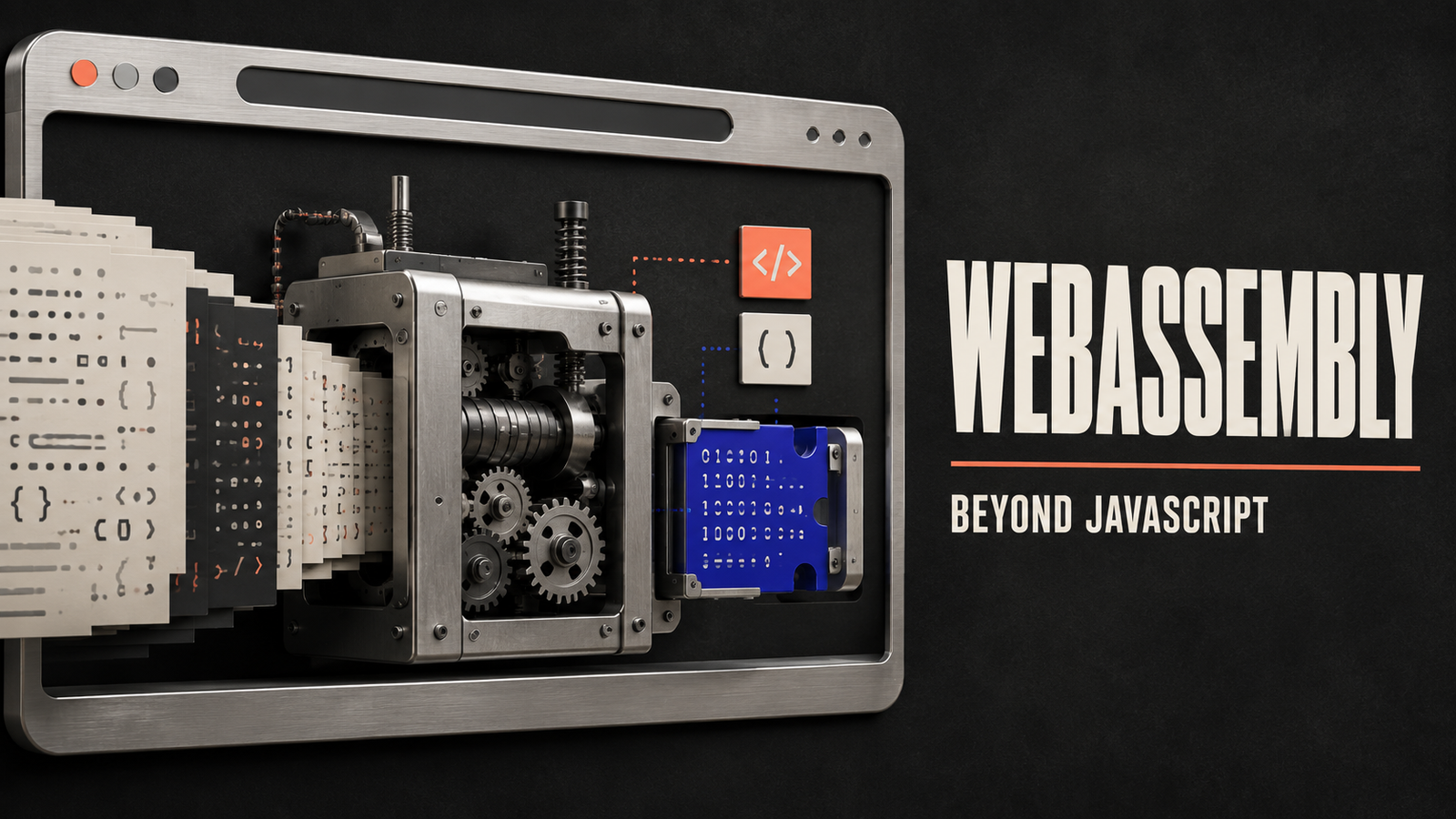

Web browsers were originally designed to display documents.
Early websites mainly contained text, links and images. Over time, browsers evolved into powerful application platforms capable of running video editors, games, design tools, communication software and complex business applications.
JavaScript played a central role in this transformation. It allowed developers to add logic and interactivity to webpages.
However, some demanding applications were originally built using programming languages such as C, C++ and Rust. Rewriting their entire codebases in JavaScript could require enormous effort. Certain workloads also need more predictable performance than conventional web development approaches can easily provide.
WebAssembly was created to address these challenges.
WebAssembly allows code written in several programming languages to be compiled into a compact format that can run efficiently in a browser. It does not replace JavaScript. Instead, the two technologies can work together, allowing developers to combine JavaScript’s flexibility with WebAssembly’s performance and portability.
What Is WebAssembly?
WebAssembly is a low-level, portable code format designed for efficient execution in web browsers and other supported environments.
It is commonly abbreviated as Wasm.
Developers usually do not write complex applications directly in WebAssembly. Instead, they write code in a language such as C, C++ or Rust and use a compiler to convert it into a WebAssembly module.
The resulting module can be downloaded and executed by a browser.
WebAssembly was designed around four important qualities:
- Fast execution
- Compact file size
- Portability across systems
- Secure, sandboxed operation
Although the name includes the word “assembly,” WebAssembly is not tied to one physical processor architecture. The same module can run on different devices as long as the environment provides a compatible WebAssembly runtime.
Why Was WebAssembly Created?
JavaScript is an extremely capable and flexible programming language, but it was not originally designed for every type of computing task.
Developers may already have large applications or software libraries written in other languages. These could include:
- Image-processing tools
- Video editors
- Game engines
- Scientific software
- Computer-aided design programs
- Audio-processing applications
- Data-compression libraries
- Encryption tools
Before WebAssembly, bringing these applications to the browser could require rewriting large amounts of code in JavaScript or depending on browser plugins.
Plugins created security, compatibility and maintenance problems. Rewriting software could be slow, expensive and technically difficult.
WebAssembly provides a standard compilation target for the web. Developers can reuse parts of existing codebases and run performance-sensitive operations inside the browser without requiring a traditional plugin.
How Does WebAssembly Work?
The WebAssembly development process normally involves several stages.
1. Developers Write Source Code
The original application or software component is written in a supported programming language.
C, C++ and Rust are frequently associated with WebAssembly because their tools can compile code into the Wasm format. Other languages may also support WebAssembly through their own compilers and runtimes.
2. The Code Is Compiled
A compiler converts the source code into a WebAssembly module.
The compiled file often uses the .wasm extension. It contains compact binary instructions that a WebAssembly runtime can understand.
A text representation also exists for development, debugging and learning purposes, but browsers normally download the binary format.
3. The Browser Downloads the Module
A webpage can request the WebAssembly file in a similar way to other web resources.
Because the format is compact and structured for efficient decoding, the browser can prepare it for execution quickly.
4. The Browser Validates the Code
Before execution, the browser checks whether the module follows WebAssembly’s rules.
This validation helps prevent malformed or invalid instructions from running.
5. The Runtime Executes the Module
The browser converts the WebAssembly instructions into code suitable for the device’s processor.
The exact optimisation process depends on the browser and runtime. Frequently used code may receive additional optimisation while the application is running.
6. WebAssembly Interacts With JavaScript
JavaScript can load a WebAssembly module, provide it with inputs and call its exported functions.
The WebAssembly module can return results to JavaScript, which then updates the webpage, interacts with browser features or manages the user interface.
This allows each technology to handle the work for which it is best suited.
A Simple WebAssembly Example
Imagine an online photo editor.
JavaScript could manage the user interface, including buttons, menus, file selection and page interactions.
When the user applies a complex filter to a large image, the application could send the pixel data to a WebAssembly module compiled from a high-performance image-processing library.
The WebAssembly module performs the calculation and returns the processed result. JavaScript then displays the updated image.
From the user’s perspective, everything happens inside one web application. Behind the scenes, JavaScript and WebAssembly perform different parts of the work.
WebAssembly vs JavaScript
WebAssembly is frequently described as an alternative to JavaScript, but this comparison can be misleading.
The two technologies serve different purposes and often work together.
| Feature | WebAssembly | JavaScript |
|---|---|---|
| Typical source | Compiled from another language | Written directly in JavaScript |
| Format | Compact binary instructions | Human-readable source code |
| Primary strength | Predictable performance for intensive tasks | Web interaction and application logic |
| Browser integration | Usually accessed through web APIs and JavaScript | Direct access to the web platform |
| Memory model | Uses structured linear memory | Managed automatically by the JavaScript engine |
| Best use | Performance-sensitive modules and existing compiled code | Interfaces, events, networking and general web development |
JavaScript remains highly suitable for most website and web-application tasks.
WebAssembly becomes especially useful when an application performs demanding calculations or needs to reuse software written in another language.
A well-designed application may use JavaScript for orchestration and WebAssembly for a limited set of computationally intensive operations.
Is WebAssembly Faster Than JavaScript?
WebAssembly can provide strong and predictable performance for certain workloads, but it is not automatically faster in every situation.
Its performance advantages are most relevant when:
- Performing repeated mathematical calculations
- Processing large amounts of image or audio data
- Running simulation code
- Executing game-engine logic
- Compressing or decompressing files
- Using existing optimised native libraries
JavaScript engines are also heavily optimised. For many user-interface tasks, network requests and standard application logic, JavaScript may perform just as well or be simpler to use.
There can also be overhead when data moves between JavaScript and WebAssembly. If an application repeatedly transfers small pieces of information between the two environments, the communication cost could reduce the expected performance benefit.
Developers should measure the actual workload rather than assuming that converting code to WebAssembly will always make an application faster.
Benefits of WebAssembly
WebAssembly offers several practical advantages for web development.
Near-Native Performance
WebAssembly provides a low-level execution model that can perform demanding operations efficiently.
It gives compilers a predictable target and allows browsers to optimise the resulting instructions for the user’s device.
Language Flexibility
Developers are not limited to writing every part of a web application in JavaScript.
They can use languages and libraries already suited to areas such as graphics, mathematics, simulation or media processing.
Code Reuse
Existing desktop or server software may contain years of tested code.
WebAssembly can allow developers to reuse parts of this code in web applications instead of rebuilding everything from the beginning.
Not every application can be moved to the browser without modification, but WebAssembly can significantly reduce the required rewriting.
Portability
A WebAssembly module is not designed for only one processor or operating system.
Compatible runtimes can execute the same portable module across different environments.
Secure Execution
Inside a browser, WebAssembly runs within a controlled sandbox.
The module does not automatically receive unrestricted access to the operating system, files, camera, microphone or other sensitive resources.
Access to browser capabilities must occur through approved interfaces and the surrounding application environment.
Smaller Distribution
The binary format is designed to be compact and efficient to decode.
Smaller modules can reduce download time, although actual file size depends on the application, included libraries and compiler settings.
Gradual Adoption
A developer does not need to convert an entire application to WebAssembly.
One performance-sensitive function or library can be moved first while the remainder of the application stays in JavaScript.
Common WebAssembly Use Cases
WebAssembly is most valuable when browser applications need capabilities traditionally associated with desktop software.
Browser-Based Games
Games often perform complex calculations involving graphics, physics, animation and artificial intelligence.
WebAssembly can help developers bring existing game engines and codebases to browsers while maintaining strong performance.
Image and Video Editing
Media applications process large amounts of data.
Operations such as resizing, filtering, encoding, decoding and colour adjustment can benefit from optimised code compiled to WebAssembly.
Audio Production
Browser-based music and audio tools may use WebAssembly for sound synthesis, effects processing and file conversion.
Computer-Aided Design
Engineering and design applications frequently depend on geometry calculations and mature native-code libraries.
WebAssembly can help make parts of these tools available through a browser.
Scientific Computing
Researchers and engineers may use web applications for simulations, numerical analysis and data visualisation.
Existing calculation libraries can potentially be compiled into WebAssembly modules.
File Compression
Compression and decompression algorithms can be computationally intensive.
A browser application can use WebAssembly to process archives or other files locally instead of uploading them to a server.
Document Processing
Web applications may use WebAssembly to display, edit, convert or analyse complex document formats.
Local processing can improve responsiveness and reduce the need to send private files elsewhere.
Cryptography
Certain cryptographic operations can be implemented using carefully reviewed libraries compiled to WebAssembly.
Security-sensitive code must still be designed, tested and integrated correctly.
Language Runtimes
WebAssembly can support interpreters or runtimes for other programming languages inside browsers.
This enables coding environments, educational tools and development platforms that run directly on a webpage.
WebAssembly Outside the Browser
Although WebAssembly began as a web technology, its portable and sandboxed design can also be useful outside browsers.
Standalone runtimes can execute WebAssembly modules on servers, edge devices and development tools.
Possible uses include:
- Server-side functions
- Plugin systems
- Edge computing
- Portable command-line tools
- Embedded applications
- Software extensions
- Isolated third-party code
A developer can compile a module once and run it in several supported environments, provided that the module has access to the required interfaces.
The exact capabilities depend on the runtime rather than WebAssembly alone.
How Does WebAssembly Access Browser Features?
A WebAssembly module does not directly control the webpage in the same way JavaScript does.
To update page elements, make network requests or interact with browser features, it usually communicates through JavaScript or another provided interface.
For example, a Wasm module may calculate the position of thousands of objects in a game. JavaScript then uses those results to update what appears on the screen.
Development tools can generate connection code automatically, making the interaction easier. Nevertheless, the boundary between WebAssembly and the web platform remains an important part of application design.
Is WebAssembly Secure?
WebAssembly is designed to operate within a sandboxed environment.
Its memory access follows defined rules, and the browser validates modules before execution. A module cannot automatically access arbitrary areas of the computer’s memory or operating system.
However, WebAssembly does not make insecure code safe.
Potential risks can still arise from:
- Vulnerabilities in the original source code
- Incorrect memory handling
- Unsafe imported functions
- Weak application permissions
- Vulnerable third-party libraries
- Errors in the surrounding JavaScript
- Malicious modules from untrusted sources
WebAssembly applications should follow the same secure development practices as other software, including dependency management, code review, testing and regular updates.
Limitations of WebAssembly
WebAssembly is powerful, but it is not the right solution for every project.
Development Complexity
Building, debugging and deploying WebAssembly can require additional tools and knowledge.
A simple website may not benefit from this extra complexity.
Larger Application Bundles
Applications may need supporting runtimes or libraries in addition to the Wasm module.
This can increase download size, particularly when using a language with a substantial runtime.
Communication Overhead
Moving information between JavaScript and WebAssembly has a cost.
Developers must carefully design how frequently the two environments exchange data.
Limited Direct Web Access
WebAssembly usually depends on JavaScript or runtime interfaces to interact with browser features.
This means it does not replace the rest of the web development stack.
Debugging Challenges
Debugging compiled WebAssembly may be more difficult than debugging ordinary JavaScript, especially when source maps or development tools are incomplete.
Garbage Collection and Language Support
Some languages depend heavily on automatic memory management and complex runtime features.
Supporting these languages efficiently may require additional runtime components and tooling.
When Should Developers Use WebAssembly?
WebAssembly may be a good choice when:
- A web application performs intensive calculations
- An existing library is written in C, C++ or Rust
- Predictable performance is important
- Software needs to run across multiple supported environments
- Local processing can improve privacy or responsiveness
- A desktop application is being adapted for browser use
It may not be necessary when:
- The application mainly displays content
- JavaScript already provides sufficient performance
- The team does not have experience with compiled languages
- The extra build process would create more complexity than value
- The relevant browser task depends heavily on direct page interaction
The decision should be based on measurement and practical requirements.
Does WebAssembly Replace JavaScript?
WebAssembly is unlikely to replace JavaScript.
JavaScript is deeply integrated with browsers and is highly effective for interfaces, events, application state, networking and general web development.
WebAssembly serves as an additional tool. It allows developers to bring high-performance compiled code into an environment traditionally dominated by JavaScript.
The future of advanced web applications is therefore not necessarily JavaScript versus WebAssembly. It is JavaScript and WebAssembly working together.
Frequently Asked Questions About WebAssembly
What is WebAssembly in simple terms?
WebAssembly is a compact code format that allows software compiled from languages such as C, C++ and Rust to run efficiently in web browsers.
What does Wasm stand for?
Wasm is the commonly used abbreviation for WebAssembly.
Is WebAssembly a programming language?
WebAssembly has binary and text instruction formats, but developers usually write applications in another language and compile the code into WebAssembly.
Is WebAssembly faster than JavaScript?
It can be faster or more predictable for certain calculation-heavy tasks. JavaScript may still be equally suitable or better for many common web operations.
Can WebAssembly access files on my computer?
A browser-based WebAssembly module does not receive unrestricted access to local files. It must use permissions and interfaces provided by the browser and application.
Can Python run through WebAssembly?
Python runtimes can be compiled or adapted to run through WebAssembly, although they may require additional files and produce larger downloads than a small native Wasm module.
Does WebAssembly work only in browsers?
No. Standalone runtimes can execute WebAssembly on servers, edge devices and other environments.
Should every website use WebAssembly?
No. Most websites do not need it. WebAssembly is best suited to applications requiring intensive computation, native-code reuse or portable sandboxed execution.
Final Thoughts
WebAssembly expands what developers can build for the web.
It provides a compact, portable and efficiently executable format for code compiled from several programming languages. This makes it possible to bring games, design tools, media editors, scientific software and other demanding applications into browsers.
Its value does not come from replacing JavaScript. The two technologies complement each other.
JavaScript can manage interfaces and browser interactions, while WebAssembly handles selected workloads that benefit from compiled performance or existing native libraries.
WebAssembly also extends beyond browsers. Its portable and sandboxed structure makes it useful for servers, edge environments and plugin systems.
It is not a universal performance switch, and it introduces its own complexity. Developers must consider download size, communication overhead, debugging and security.
Used for the right problem, however, WebAssembly can turn a browser from a document viewer into a platform capable of running sophisticated software that once required a traditional desktop installation.